
Privacy & account
Delete your AutoQR account
You can delete your account instantly in the AutoQR app, or submit a web request if you no longer have access to the app.
Recommended
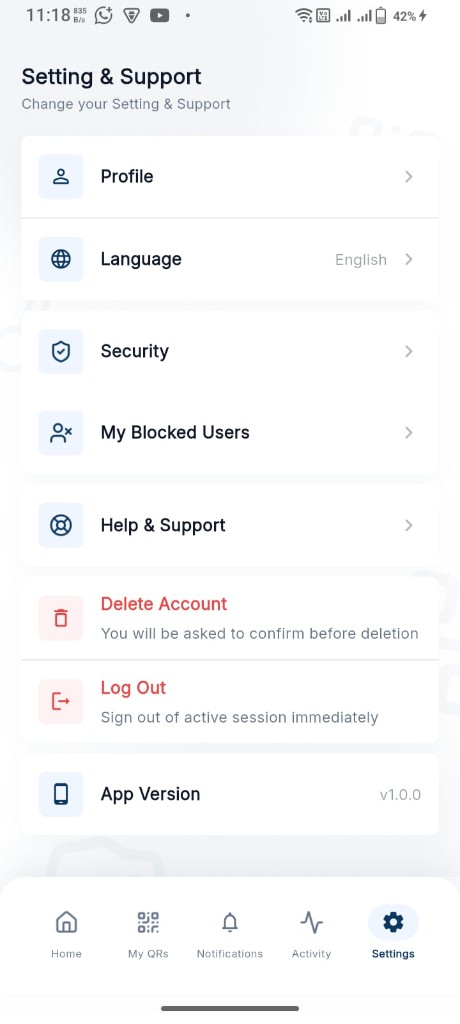
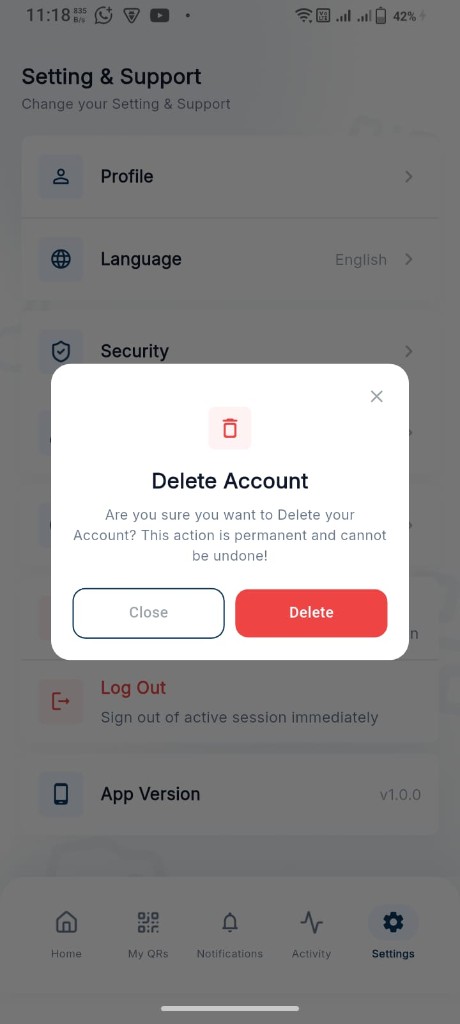
Delete from the AutoQR app
The fastest way is inside the mobile app. Your account is removed after you confirm.
- 1 Open AutoQR and go to Settings & Support.
- 2 Tap Delete Account.
- 3 Confirm with Delete. This action is permanent.
Prefer the app when possible. Use the form only if you cannot open the app or need support to process deletion.
Web request
Request account deletion
Enter the email linked to your AutoQR account. We only continue if that account exists.